Software
Pharmacy billing softwarefor medical stores
A medical store lives on batches and expiry dates. billinginfo tracks both from the purchase bill to the counter, picks the batch that expires first, refuses to sell an expired one, and warns you before stock goes bad.
Free for 15 invoices a monthAndroid and browserHindi, Gujarati and Hinglish
What it does
Batch, expiry and MRP
Entered with each purchase, kept per batch, printed under the medicine on the bill.
FEFO at the counter
The batch that expires first is offered first; you can still pick another.
Expired batches blocked
An expired batch cannot be sold on a sales document.
Expiring Soon
A screen and a daily alert for batches nearing expiry, so you can return them to the distributor in time.
Strips and boxes
Buy by the box, sell by the strip or tablet; stock and price convert on their own.
AI scan of purchase bills
Photograph a distributor’s bill and BillBot fills the lines, batches, expiry, rates and GST for you to check (paid plans).
Drug licence on the invoice
Add your drug licence number in business settings and it prints on invoices.
Discount on MRP
Give a % discount on MRP per line, as most counters do.
What pharmacy software has to get right
Most billing software can sell a strip of tablets. Pharmacy software has to know which strip. When the same medicine sits on the shelf in three batches, the one closest to expiry should go first, the expired one must never go at all, and the batch and expiry must be on the bill in case of a recall. The second job is the purchase side: a distributor’s bill can run to forty lines, each with a batch, an expiry and a rate, and typing them is where most stores fall behind.
billinginfo handles both. Batches are on the Plus, Pro and Max plans; AI bill scans are included there too (30 a month on Plus, 150 on Pro, unlimited on Max under fair use). See the pharmacy industry page for screens from a demo store.
Setting up a medical store
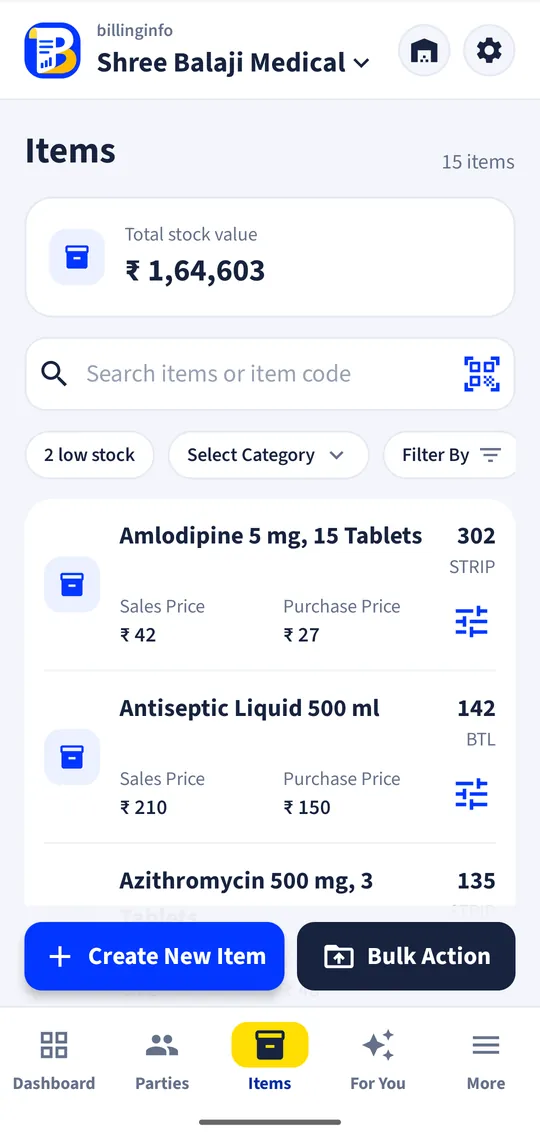
Start with your current stock. Export it from your old software or a spreadsheet with one row per batch (name, batch, expiry, MRP, quantity) and upload it; billinginfo reads the columns by their headings. Fill gaps from the pharma section of the Items Library, which comes with HSN codes and GST rates. From then on, purchases keep batches current.
A worked example
A customer asks for a strip of a common antibiotic. The pharmacist searches or scans it. Two batches are in stock: one expiring next March, one in August. The app selects March, shows stock for both, and prints the batch and expiry on the bill with the MRP and a 10% discount on MRP. A third batch that expired last month is shown as expired and cannot be chosen.
Get started
- Turn on batches for medicines in item settings.
- Upload your stock with batch, expiry and MRP, or pick from the Items Library.
- Add your drug licence number in business settings.
- Scan distributor bills as they arrive; bill at the counter with FEFO.
Does it track Schedule H registers?
No. billinginfo tracks batches and expiry on bills and stock; it does not keep a separate Schedule H or narcotics register.
Can I print the doctor’s or patient’s name?
Add the patient as the party, and use custom invoice fields for details such as the prescribing doctor.
Can the AI read handwritten bills?
It is built for printed bills and PDFs, including blurred phone photos. Every line stays editable before you save.
Does it work for pharma distributors?
Yes. Distributors use the same batches with party-wise prices, godowns and e-Way Bills; see wholesale software.
Your next bill can
be a better one.
Free for 15 invoices a month. Try Plus for a week at ₹9. On your Android phone and in your browser.