
Billing forservices.
Bill visits, labour and contracts as service items with no stock to track, send a quotation first, and see who still owes you.
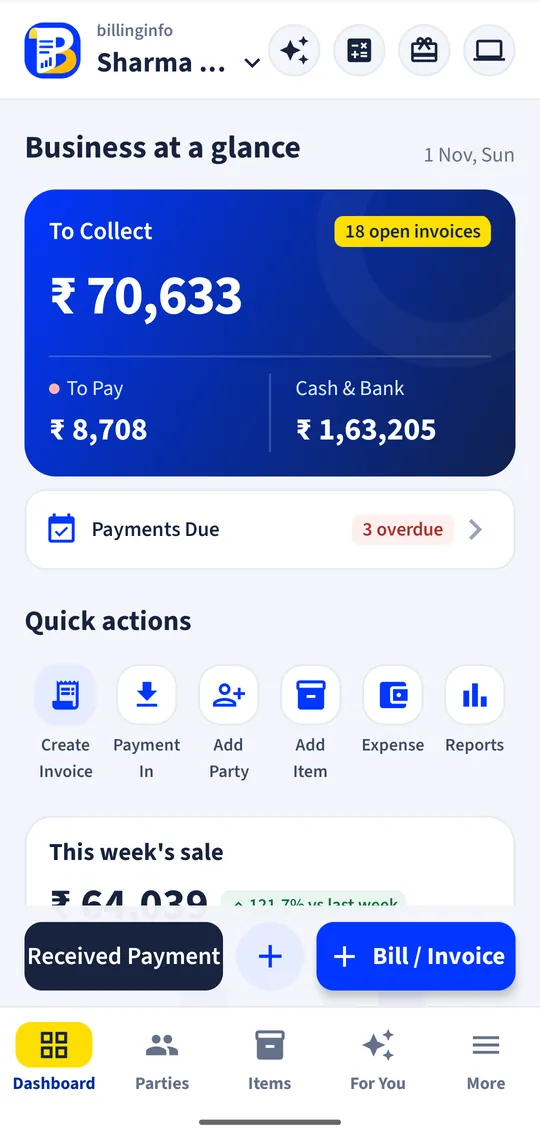
The problems we fix
Quotes written by hand
Every job starts with an estimate that has to be retyped as a bill.
Dues after the job
Customers pay later, and nobody remembers who.
Parts and labour on one bill
Spares carry stock; labour and visits don’t.
Built for your counter
Service items
Visits, labour, contracts and installation as services, with SAC codes and GST, and no stock.
Quotations to invoices
Send a quotation and convert it to an invoice when the customer agrees.
Spares with stock
Parts you fit are normal items, so their stock goes down when you bill them.
Payment reminders
A daily list of dues to collect, with each customer’s balance.
Repeat bills
Monthly contracts can be billed automatically on the day you choose.
Share on WhatsApp
Send the PDF or a link from your phone’s share menu.
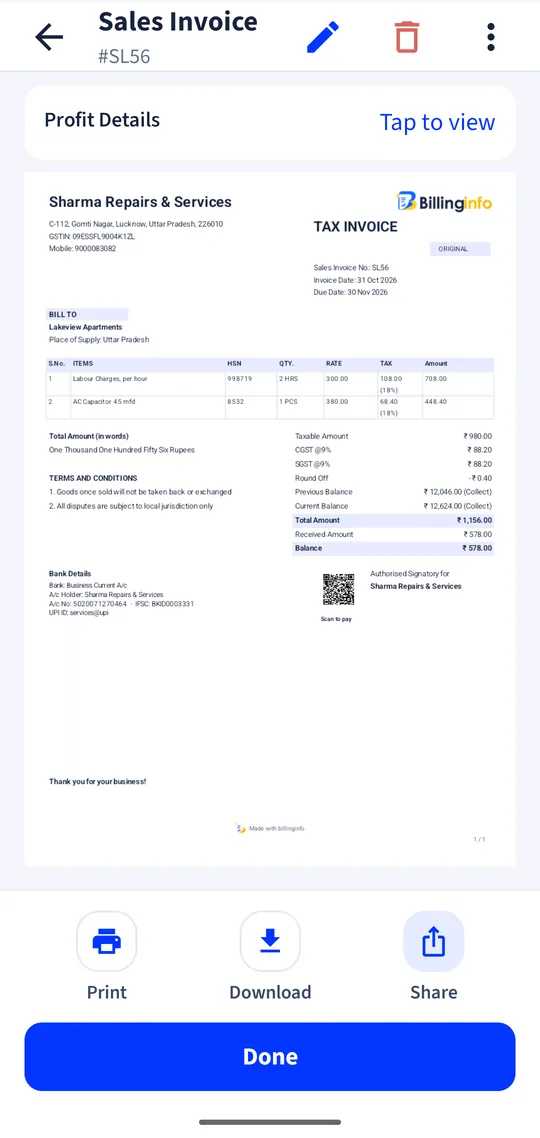
Shown: Sharma Repairs & Services, a demo business with made-up data.
Made for
- Repair and maintenance services
- Salons and parlours
- Agencies and consultants
- Electricians, plumbers and technicians
- Coaching and training centres
Every plan includes GST billing, party ledgers, basic reports and backup. Batches, serial numbers, GST reports and e-Way Bills are on the Plus, Pro and Max plans; see what each plan includes.
At the counter and at the desk.
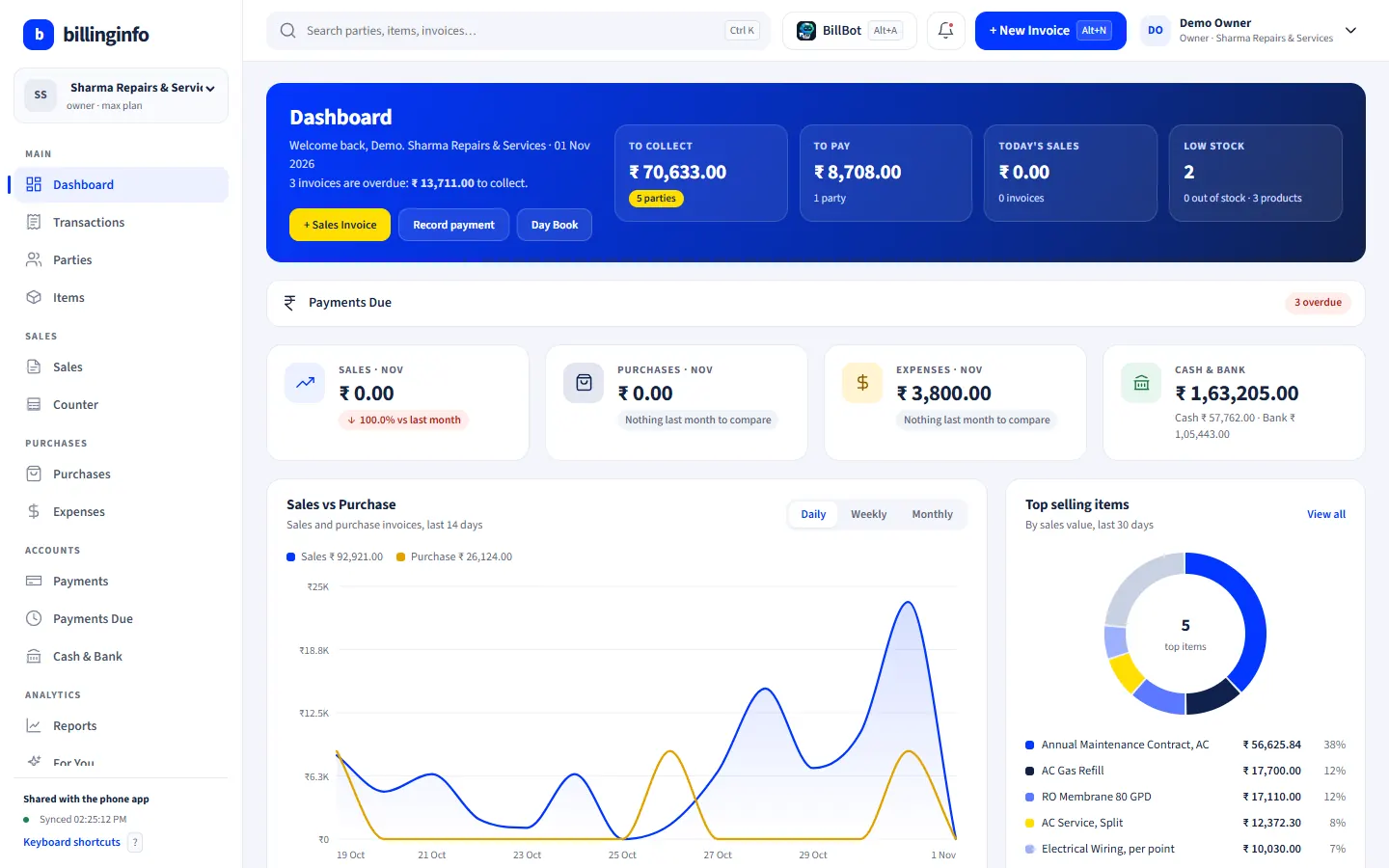
Bill at the counter on your Android phone; check dues, stock and reports on a big screen at the desk.
- Same login and the same data as your phone
- Opens in Chrome, Edge or any modern browser; nothing to install
- Keyboard billing for long bills: Alt+N for a new invoice, F2 for the party
- Bills made on the phone show up in the browser within seconds, and the other way round
Works in Chrome or Edge on any computer. Nothing to install. Same account and data as the phone app.
Sent us “BILL”?
Save your spot.
Leave your details and we’ll help you set up billinginfo for your shop: your items, your invoice look, your first bill.
Seen us on Instagram? This is the “DM BILL” form. We only use these details to contact you about billinginfo.
Questions, answered.
Something else on your mind? Write to us or see the help page.
Can I bill services without stock?
Yes. Mark an item as a service: it has an SAC code and GST rate, and no stock.
Can I send a quotation first?
Yes. Make a quotation, share it, and convert it to an invoice in one tap when the customer confirms.
Is billinginfo free?
Yes. Free is free forever for up to 15 sales invoices a month, with stock, parties, payments, basic reports and backup. Plus, Pro and Max add unlimited invoices, GST reports, batches and serial numbers, e-Way Bills, AI bill scans, BillBot and more. Try Plus for a week at ₹9. See pricing.
Will it run on my phone?
billinginfo is built for everyday Android phones, including low-cost ones. The download is small and the app keeps working on slow networks.
Your next bill can be a better one.
Free for 15 invoices a month. Try Plus for a week at ₹9.
Download for Android