Last checked 2 November 2026
Four things that sound alike
| Under | Who | Rate | |
|---|---|---|---|
| GST TDS | Section 51, CGST Act | Government departments, local authorities, PSUs and other notified buyers; buyers of metal scrap | 2% (1% CGST + 1% SGST, or 2% IGST) |
| GST TCS | Section 52, CGST Act | E-commerce operators, on sales made through them | 0.5% (0.25% + 0.25%, or 0.5% IGST) since 10 July 2024 |
| Income-tax TDS | Income-tax Act | Buyers paying for contracts, professional fees, rent, purchase of goods and so on | By type of payment |
| Income-tax TCS | Income-tax Act | Sellers of specified goods such as scrap, tendu leaves, forest produce, and certain motor vehicles | By type of goods |
None of them changes the GST on your invoice. They change how much cash you receive, and give you a credit to claim back.
GST TDS under section 51
- Applies when the total value of supply under a contract is more than ₹2.5 lakh, leaving out GST.
- The deductor withholds 2% of the taxable value and pays it to the government by the 10th of the next month, filing GSTR-7.
- The supplier accepts it on the GST portal (TDS and TCS credit received) and the amount goes to the supplier’s electronic cash ledger, to pay future tax.
- From 10 October 2024, a registered person buying metal scrap (chapters 72 to 81) from a registered seller must also deduct 2% GST TDS (Notification 25/2024-Central Tax).
Example: you supply furniture worth ₹4,00,000 + 18% GST (₹72,000) to a municipal corporation in your State. TDS = 2% of ₹4,00,000 = ₹8,000 (₹4,000 CGST + ₹4,000 SGST). You receive ₹4,64,000 and claim ₹8,000 in your cash ledger. Your invoice still shows ₹4,72,000.
GST TCS under section 52
E-commerce operators such as online marketplaces collect TCS on the net value of taxable supplies made through them by other sellers (sales minus returns). The rate fell from 1% to 0.5% from 10 July 2024 (Notification 15/2024-Central Tax). The operator files GSTR-8 by the 10th of the next month. The seller accepts the amount on the portal and it is credited to the cash ledger.
Example: you sell ₹2,00,000 of goods within your State through a marketplace in a month, with ₹20,000 of returns. TCS = 0.5% of ₹1,80,000 = ₹900 (₹450 CGST + ₹450 SGST).
Income-tax TDS and TCS on a GST bill
- Where GST is shown separately on the invoice, income-tax TDS is worked out on the value without GST (CBDT Circular 23/2017).
- TDS does not reduce the invoice. The buyer pays the invoice total minus TDS and gives you a TDS certificate; you claim the TDS against your income tax.
- Income-tax TCS, where it applies, is charged by the seller on the bill on top of the value and shown as a separate line.
- From 1 April 2026 the Income-tax Act, 2025 replaced the Income-tax Act, 1961. The TDS provisions were brought together under new section numbers, so older references like 194C or 194J now map to new entries. Rates and limits were largely carried over, but check the current table with your CA.
Recording it in your books
When a buyer deducts TDS, the invoice is fully paid by two things: the cash received and the TDS receivable. Record the payment with the TDS amount as a deduction so the party’s balance closes to zero, and keep the certificate. If the buyer’s TDS does not appear in your Form 26AS or GST cash ledger, follow up quickly.
Who registers for what
- A GST TDS deductor must register as a tax deductor under GST (Form REG-07), separate from any normal registration.
- Every e-commerce operator that collects TCS must register for it, in each State where it has suppliers.
- A seller on a marketplace usually needs GST registration; small sellers making only intra-State sales of goods have some relief since October 2023.
Common mistakes
- Reducing the GST on the invoice because the buyer will deduct TDS. GST is charged on the full value.
- Forgetting to accept GST TDS or TCS credit on the portal, so it never reaches the cash ledger.
- Working out income-tax TDS on the GST-inclusive amount when GST is shown separately.
- Leaving the party balance open by the TDS amount.
How billinginfo helps
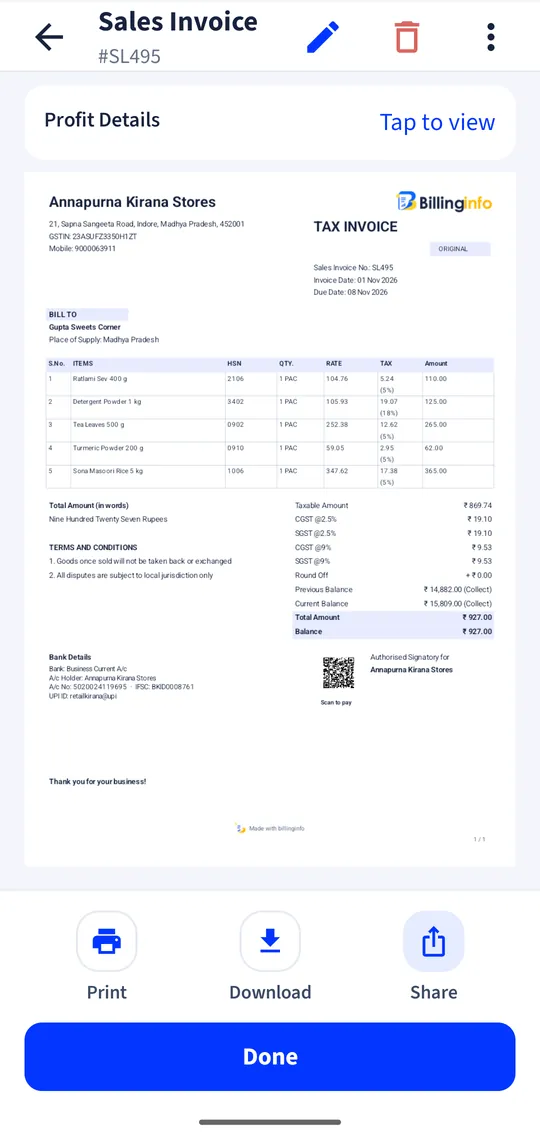
billinginfo lets you add TDS or TCS sections to an invoice, asks for the party’s PAN where needed, and records payments with the TDS deducted so balances settle correctly. The GST TDS and TCS credits themselves are claimed on the GST portal.